Prompt
Add Node → Generate → Prompt
A chat with a language model whose only job is writing prompts for your generators. Describe what you’re after in plain language, and it hands you back a finished prompt you can wire straight into an Image or Video card.
You can also wire pictures into it — up to ten. That lets you ask things like “write me a prompt that matches this style” or “describe this scene”, with the model actually looking at what you gave it.
What’s on the card
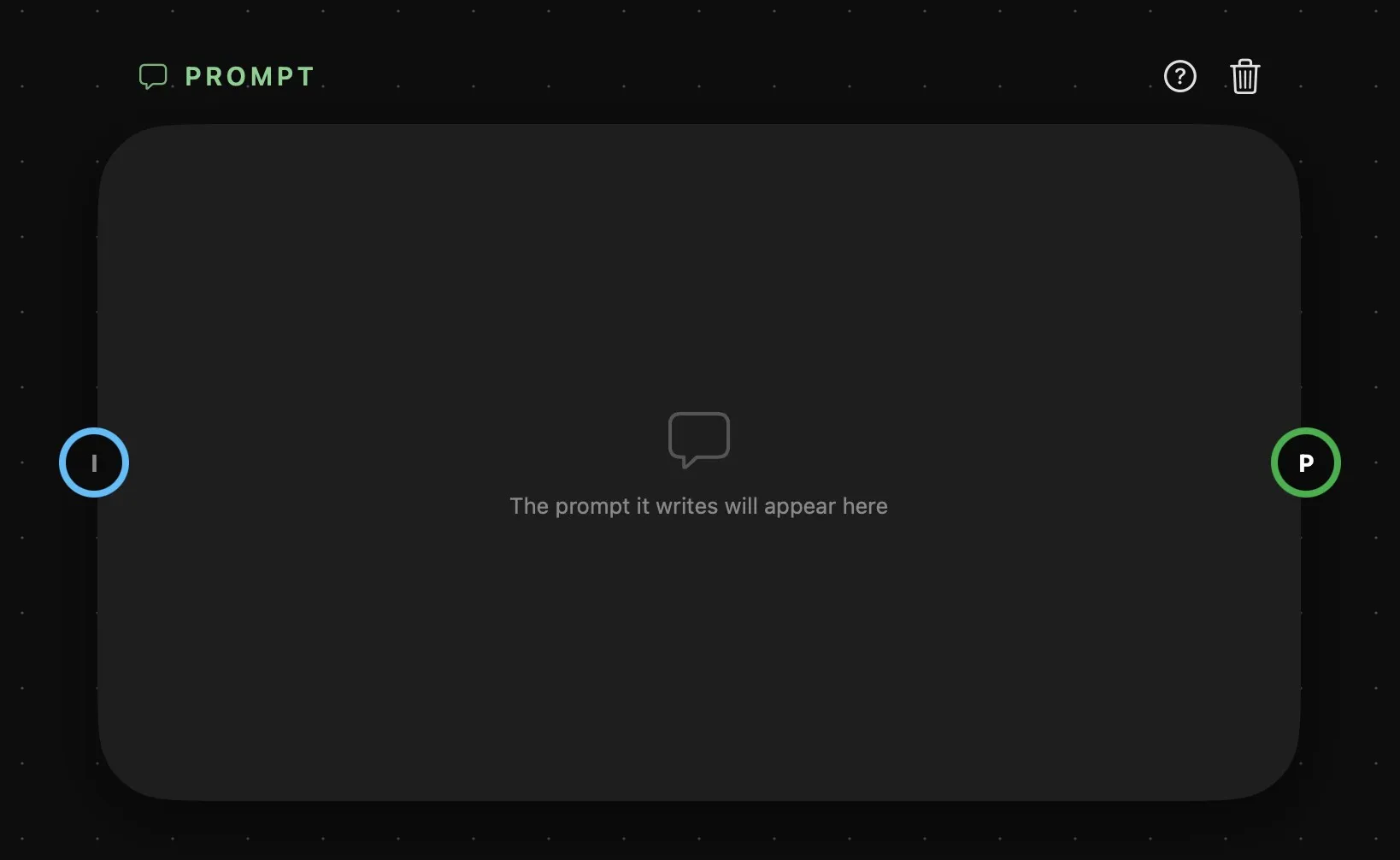
| Area | What it does |
|---|---|
| Above the card | The card’s name, then help and delete. |
| The card | The prompt it gives you: the last reply, or the replies numbered 1, 2, 3… when it writes several at once. While it writes it says Writing… — or, with a model on this Mac, you watch the text grow. Empty, it reads The prompt it writes will appear here. |
| I | Pictures for the model to look at while it writes. Wire one in and it becomes ring 1, with a fresh I below it for the next, up to ten. |
| P | The output, on the right. With Output at 1 it’s a single ring; above 1 it becomes numbered rings, one per prompt — see below. |
There’s no prompt input: a Prompt card is where prompts start, so nothing wires into it but pictures. A ring is hollow until something is connected and fills with colour once it is. There’s more on all of this in How nodes connect.
Writing the brief
The conversation happens in the Prompt bar: select the card and the bar opens on it, split in two.
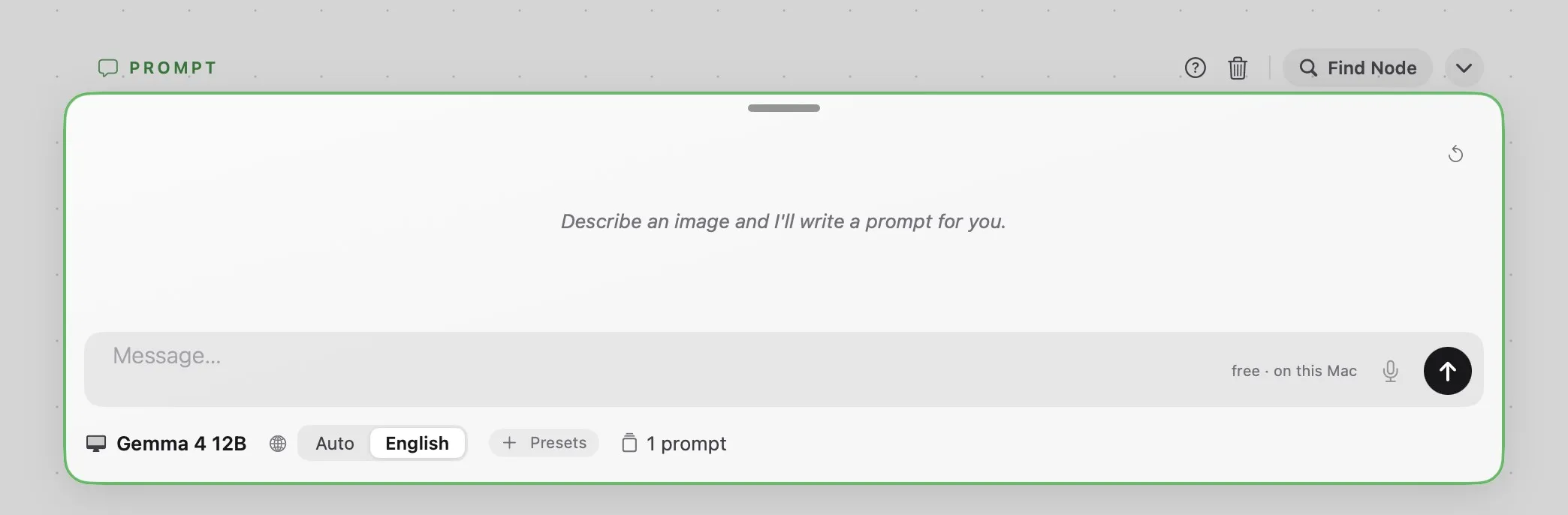
- Top: the conversation, with a Reset button in the corner to start it over. You can select and copy the replies.
- Bottom: the message field, with the microphone and the send button. Return sends, Shift-Return starts a new line. The field also says what a message costs, or free · on this Mac for a local model.
- Underneath: the text model, the language, + Presets, and how many prompts the card writes at once.
Follow-up messages work on the prompts already written: ask for “warmer light” or “make the second one a close-up” and the model edits what it gave you, rather than starting again. A message sent while it’s still writing waits its turn.
Language is English by default, whatever language you wrote your brief in. Set it to Auto to get the prompt back in the language of your message.
Presets work differently here than on a generator. They’re handed to the model as instructions, and it weaves them into what it writes, instead of having them pasted onto the end. See Presets.
One brief, several prompts
The number of prompts is the part worth understanding. Leave it at 1 and the card behaves like a normal chat: one brief in, one prompt out, one P ring on the right.
Raise it — anywhere from 2 to 10 — and the card grows that many output rings, numbered down the right edge. You still write a single brief, and the model turns it into that many different prompts, each its own take on the same idea rather than a copy of it. Ring 1 carries the first, ring 2 the second, and so on.
Wire each ring to its own generator and one sentence from you becomes ten images exploring the same brief in ten directions, with nothing to copy and paste. All of them come from one reply, so they cost one message; it’s the generators downstream that each charge for a run.
If you’d rather keep a long prompt you wrote yourself in one place and send its parts to different generators, that’s Prompt Split’s job.
A generator wired to a Prompt card that’s still writing doesn’t fire with an empty prompt: it waits, and starts once the prompt is there. Each prompt is also kept within what the generator downstream will take.
Which model should you use?
The menu splits the models in two: the cloud ones of the provider you’ve connected, and the Local ones, which run on this Mac.
| Model | Where it runs | Notes |
|---|---|---|
| Gemma 4 E4B | On this Mac, 16 GB of memory | The smallest local model. A 5.2 GB download. |
| Gemma 4 12B | On this Mac, 24 GB of memory | The default, when this Mac can run it. An 11 GB download. |
| Gemma 4 31B | On this Mac, 32 GB of memory | The largest local model. An 18.4 GB download. |
| ChatGPT 6 Luna | WaveSpeed, Runware | The default when this Mac can’t run Gemma 4 12B. |
| ChatGPT 5.6 Luna | WaveSpeed | |
| Claude Sonnet 5 | WaveSpeed | |
| ChatGPT 5.5 | WaveSpeed, Runware | |
| Qwen 3.6 Plus | WaveSpeed | |
| Qwen3.5 27B | Runware |
The local models are free: nothing leaves your Mac and nothing is charged. The first time you pick one that isn’t on the Mac yet, the bar offers to download it, and says how big it is. Every Gemma model reads the pictures you wire in.
A cloud prompt costs a fraction of a generation — the message field shows around a tenth of a cent — so the model you pick here matters far less to your bill than the one on the generator downstream. What the provider actually charges is added to the project’s running total.