Prompt Concat
Add Node → Compose → Prompt Concat
Takes several prompts and joins them into one. Wire in up to ten, and the card hands back a single text, in the order of the rings, ready for any generator.
It’s the mirror of Prompt Split, the card right below it in the menu: Split takes one text and fans it out into many, Concat takes many and folds them back into one.
What’s on the card
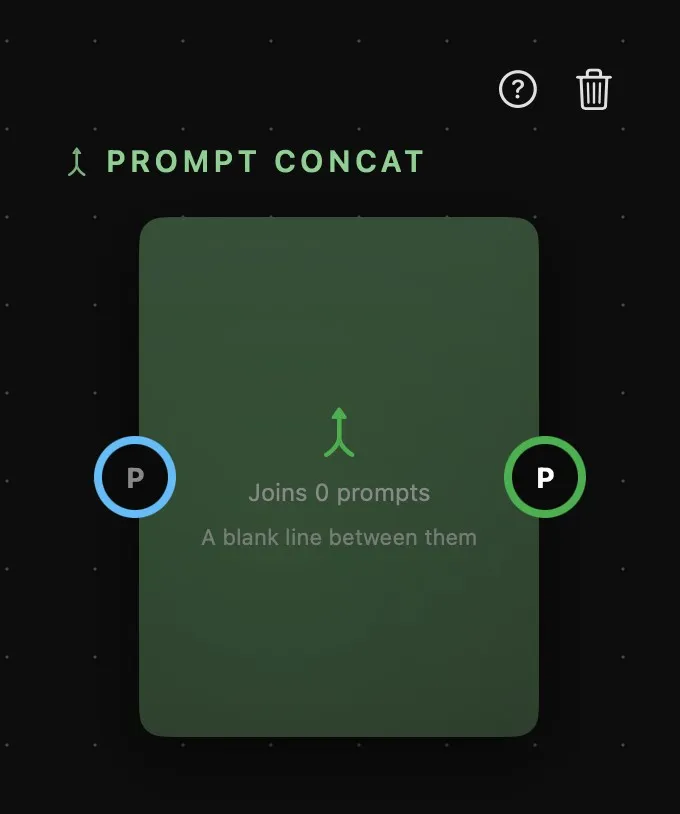
| Area | What it does |
|---|---|
| Above the card | The card’s name, then help and delete. |
| The card | How many prompts it’s joining, and how: A blank line between them. Nothing to type here — every piece is written somewhere else. |
| P | The inputs, on the left. Each prompt you wire in gets a numbered ring, and a fresh P appears below for the next, up to ten. Each takes a Prompt card, a Prompt Text, a part of a Prompt Split, another Concat, or a Workflow’s prompt. |
| P | The output, on the right: all the inputs joined into one text, ready to wire into a generator’s prompt ring. |
More on rings in How nodes connect.
How it joins
In the order of the rings, top ring first, with a blank line between one prompt and the next. Each piece is trimmed, and an empty one is left out, so a Prompt Text you haven’t written yet doesn’t leave a hole.
Order matters, and it’s the order of the rings. To move a piece, drag its wire out of its ring and drop it on another ring of the same card: the pieces in between shift along. Pull a wire out and drop it on nothing to remove it, and the rings below close the gap.
It’s a live connection, not a copy. Change any of the upstream texts — re-run a Prompt card, edit a Prompt Text — and the joined output updates on its own, along with everything wired downstream of it.
When to reach for it
Concat is for prompts you want to keep in separate pieces but send as one. A fixed opening you reuse on every shot, the subject from a Prompt Text, a closing block of camera and lighting notes: three cards, each editable on its own, joined into one prompt at the end. Swap the subject and the rest stays put.
If the pieces are scraps you’d type over and over — a lens, a film stock, a background — Presets are the lighter tool: they’re added to the prompt itself, without a card on the canvas. Concat earns its place when the pieces are whole prompts, or when they’re written by other cards.