How do I connect WaveSpeed?
Node Composer sends its generation requests to one of two providers, WaveSpeed or Runware. This page covers WaveSpeed; if you’d rather use the other, see How do I connect Runware?. The whole setup takes about a minute.
1. Create an account
Sign up at WaveSpeed. You’ll need an account before there’s a key to make.
2. Create the API key
Open the API Keys page, type a name for the key — node-composer does the job — and click Create Key.

The key is then shown once and once only. Click the blue Copy key button while it’s on screen — close that message and there’s no way back to it, and you’d have to make another. Treat it like a password.

3. Paste it into Node Composer
In Node Composer, open Settings — Node Composer › Settings…, or ⌘, — and go to Providers. Paste the key into the WaveSpeed API key field and click Save. If you haven’t made the key yet, Get an API Key… right there takes you to the page for it.
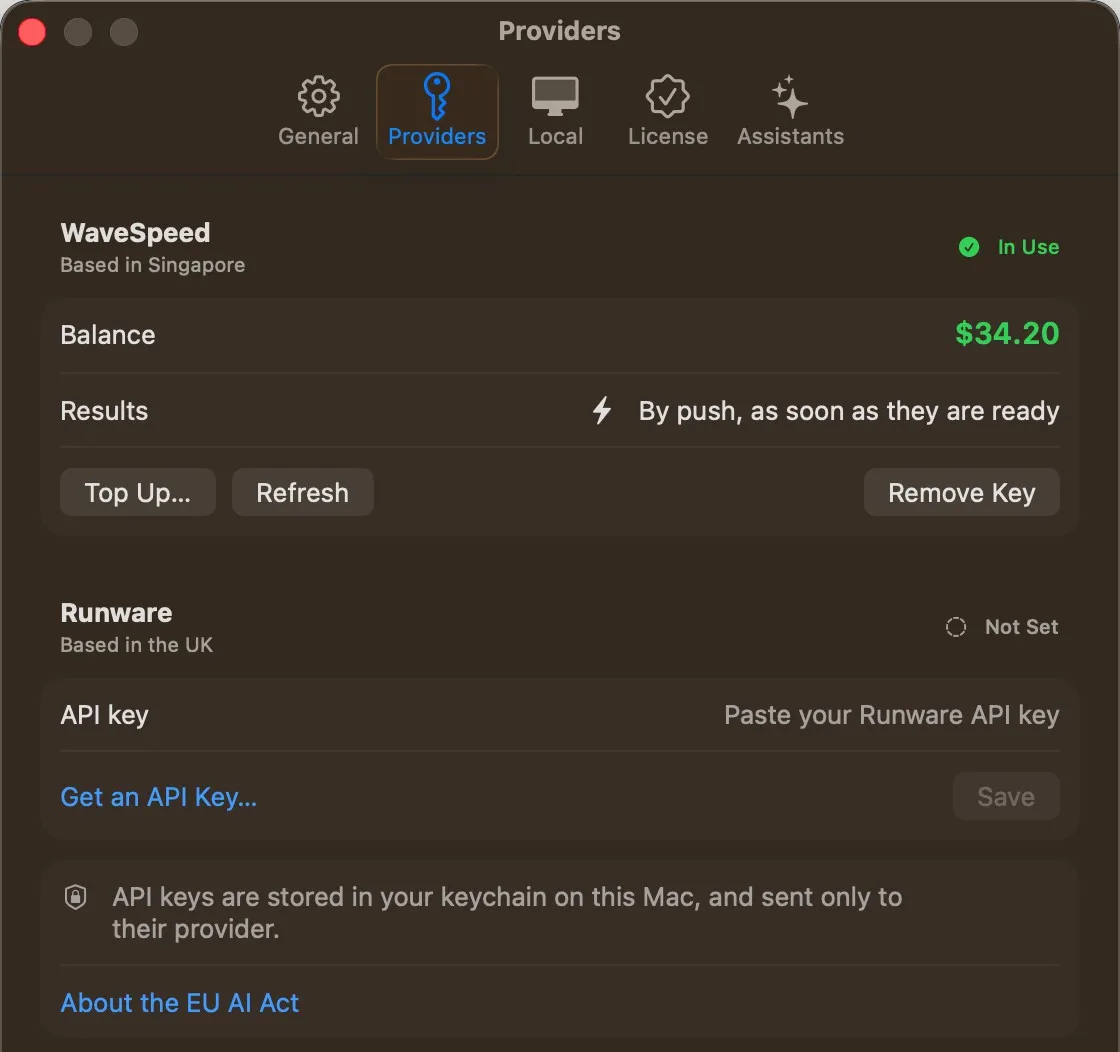
Once saved, the field gives way to your WaveSpeed balance, and the badge next to the name says In Use. Top Up… opens your WaveSpeed account to add credits, Refresh reads the balance again, and Remove Key takes the key out. Results says how finished generations come back: by push, as soon as they’re ready.
If you’ve got a Runware key in as well, a Generate with picker turns up underneath, and that’s what decides which of the two your generations go to: the cards offer the models of the provider chosen there, with its settings and prices. A card keeps its model when you switch. With only one key in there’s nothing to choose, so it stays out of the way.
API keys are stored in your keychain on this Mac, and sent only to their provider.