Text Area / Log
Add Node → Prompt → Text Area / Log
One node, two jobs, depending on whether anything is wired into it.
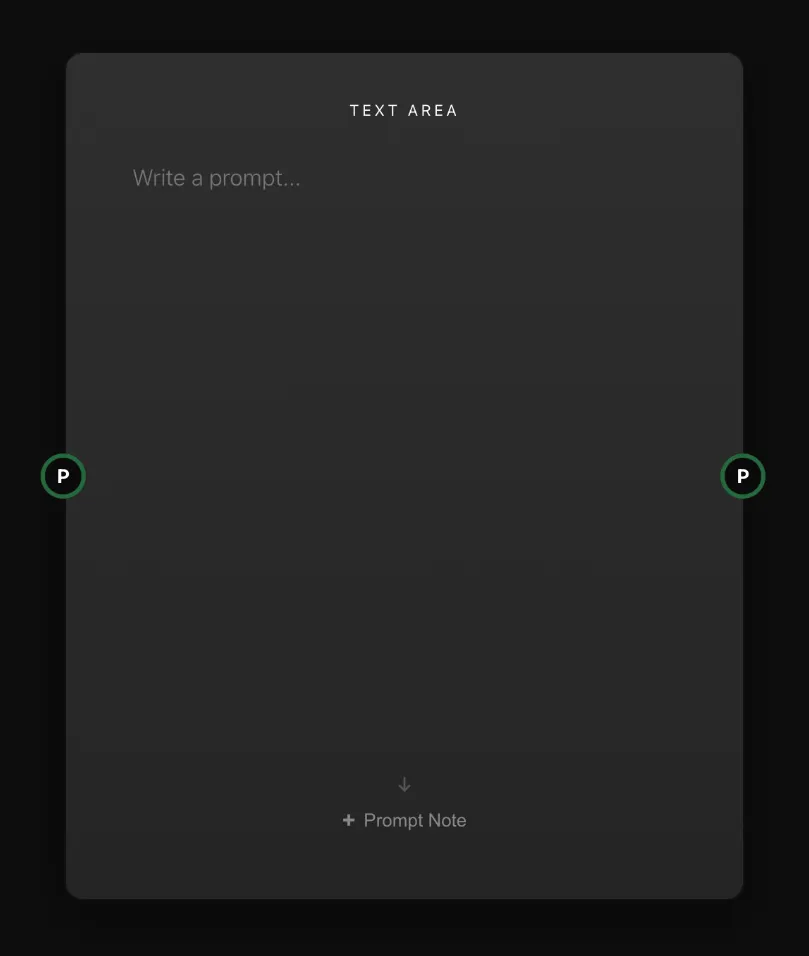
With nothing connected, it’s a Text Area: a simple box where you write a prompt by hand and send it to your generators.
Connect something into it — a Prompt Generator, a Prompt Split, or a finished result — and it flips into a Log: read-only, showing you the exact prompt and model settings behind that result.
What’s on the node
| Area | What goes in it |
|---|---|
| Text box | Yours to type in while nothing is connected. Wire something in and it goes read-only, showing the upstream text live. |
| P | Optional, on the left. A Prompt Generator, a Prompt Split, or a finished result’s own prompt handle. Leave it empty and the box stays editable. |
| P | The output, on the right: the text, ready to wire into a generator’s prompt input. |
More on handles in How nodes connect.
The handy trick
Wire a finished image or video’s result handle into a Text Area, and it becomes a Log showing you the prompt that made it. Disconnect it, and the text stays there, now editable — so you can tweak a word and send it off to a generator for a fresh variation. It’s a quick way to riff on something you’ve already made.